
Technology
Improve PC Maintenance with Cleaning, Uninstalling, and Stress Testing

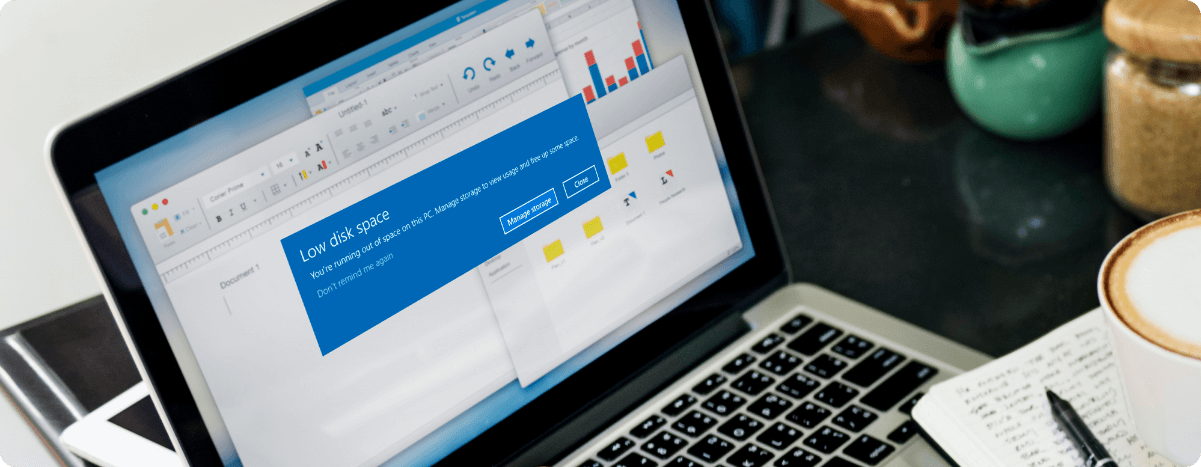
Keeping a computer running smoothly requires more than powerful hardware. Unnecessary files, unwanted applications, and demanding workloads can all affect the overall user experience. Whether a PC is used for gaming, office work, or everyday browsing, regular maintenance can help users understand their system and keep it organized. Tools such as a PC cleaner, an uninstall tool, and a PC stress test serve different purposes but can work together as part of a practical computer maintenance routine.
Keep Your System Clean with Advanced SystemCare
Over time, Windows computers accumulate temporary files, browser caches, logs, and other data generated by everyday activities. Although some temporary files are useful, unnecessary data can occupy valuable storage space and make system maintenance more complicated.
A PC cleaner helps users identify and remove selected unnecessary files without requiring them to search through multiple folders manually. This can make routine cleanup easier, especially for people who frequently install applications, browse the internet, or download files.
Advanced SystemCare by IObit is a Windows utility designed to support PC cleaning and optimization. Depending on the available features and settings, users can scan their systems for unnecessary files and review optimization recommendations from a centralized interface.
Regular cleaning can help free up storage and reduce clutter. However, removing temporary files does not automatically guarantee a significant speed improvement. Computer performance also depends on hardware capabilities, available memory, background applications, and other system conditions.
For the best results, users should review cleanup suggestions before applying them and avoid removing files they do not recognize.
Remove Unwanted Applications with IObit Uninstaller
Installing software is straightforward, but managing applications over time can become difficult. Programs that are no longer needed may occupy storage space, add startup entries, or leave behind folders and other components after removal.
An uninstall tool can simplify application management by providing a dedicated interface for identifying and removing unwanted programs. Some tools can also scan for leftover files or related components after the standard uninstallation process.
IObit Uninstaller is designed to help Windows users remove applications and manage certain software components. It can be useful when a computer contains old programs, unused utilities, or applications that are no longer relevant to the user’s needs.
Before removing software, users should confirm that it is not required for work, connected hardware, or other applications. Removing unfamiliar system components without checking their purpose may create compatibility problems.
Uninstalling unnecessary applications can help reduce software clutter and make it easier to manage installed programs. It may also reduce background activity when the removed applications previously ran processes or services.
Why a PC Stress Test Is Useful
Cleaning files and uninstalling programs address software organization, but they do not necessarily reveal how well hardware performs under demanding conditions. This is where a PC stress test becomes useful.
A PC stress test places a heavy workload on one or more components to observe their behavior. CPU tests focus on processor performance, GPU tests examine graphics hardware, and memory tests can help investigate potential RAM errors.
Stress testing can be useful after building a new computer, installing hardware, changing performance settings, or investigating crashes during demanding tasks. It may reveal overheating, instability, or unexpected shutdowns that do not occur during ordinary use.
Users should choose reputable testing software and monitor temperatures throughout the process. Saving important work before testing is also sensible. If the system becomes unstable or temperatures exceed manufacturer recommendations, the test should be stopped.
A successful stress test provides useful evidence of stability under the tested conditions, but it cannot guarantee that every component will remain problem-free in every situation.
How These Tools Work Together
A PC cleaner, an uninstall tool, and a PC stress test address three different aspects of computer maintenance.
For example, a user can begin by running Advanced SystemCare to review unnecessary files. Next, IObit Uninstaller can help identify applications that are no longer required. After completing routine maintenance, a PC stress test can be used separately to evaluate hardware behavior under a demanding workload.
This approach provides a clearer picture of the system without confusing software cleanup with hardware testing. If the computer still performs poorly, users can investigate other causes, such as limited RAM, outdated drivers, insufficient cooling, or demanding background processes.
Build Better Computer Maintenance Habits
Regular maintenance works best when it is performed carefully rather than only after problems appear. Users can periodically review installed applications, monitor available storage, keep important software updated, and back up essential files.
Automated tools can make these tasks more convenient, but users should remain involved in decisions that affect their systems. Cleaning recommendations should be reviewed, application removals should be intentional, and stress tests should be conducted with appropriate precautions.
Final Thoughts
A well-maintained PC is easier to manage and troubleshoot. Advanced SystemCare provides PC cleaning and optimization features, while IObit Uninstaller helps users manage unwanted applications. A PC stress test offers a separate way to examine hardware stability under demanding workloads.
Using these approaches for their intended purposes can help users reduce software clutter, organize their systems, and investigate potential hardware problems. Combined with sensible maintenance habits, they provide a practical foundation for keeping a Windows computer in good working condition.

How portable chargers Are Redefining Personal Energy Management in a Connected World in 2026

What Is Hard Water? Understanding Water Hardness in the UAE and GCC

Improve PC Maintenance with Cleaning, Uninstalling, and Stress Testing

Telehealth Psychiatric & Mental Health Care: Accessible Support for a Healthier Mind

West Palm Beach Detox: A Safe and Supportive Start to Lasting Recovery

Drug & Alcohol Rehab in West Palm Beach, FL: Start Your Journey to a Healthier Life

Drug & Alcohol Detox in South Carolina: A Complete Guide to Safe Recovery

Drug and Alcohol Detox Kentucky: Your Guide to Safe Recovery at Paducah Detox Center

Addiction Treatment in Plymouth: Understanding Addiction & Mental Health Treatment

Ohio Center for Adolescent Wellness: Your Guide to Teen Mental Health Services in Ohio

Massachusetts Center for Adolescent Wellness: Your Guide to Teen Mental Health & Addiction Treatment in MA
Ohio Center for Adolescent Wellness: Your Guide to Teen Mental Health Services in Ohio
Drug and Alcohol Detox Kentucky: Your Guide to Safe Recovery at Paducah Detox Center
Addiction Treatment in Plymouth: Understanding Addiction & Mental Health Treatment
Drug & Alcohol Rehab in West Palm Beach, FL: Start Your Journey to a Healthier Life
Telehealth Psychiatric & Mental Health Care: Accessible Support for a Healthier Mind
West Palm Beach Detox: A Safe and Supportive Start to Lasting Recovery
Drug & Alcohol Detox in South Carolina: A Complete Guide to Safe Recovery
Improve PC Maintenance with Cleaning, Uninstalling, and Stress Testing
What Is Hard Water? Understanding Water Hardness in the UAE and GCC
How portable chargers Are Redefining Personal Energy Management in a Connected World in 2026
What Is Hard Water? Understanding Water Hardness in the UAE and GCC
Improve PC Maintenance with Cleaning, Uninstalling, and Stress Testing
Telehealth Psychiatric & Mental Health Care: Accessible Support for a Healthier Mind
West Palm Beach Detox: A Safe and Supportive Start to Lasting Recovery
Drug & Alcohol Rehab in West Palm Beach, FL: Start Your Journey to a Healthier Life
Drug & Alcohol Detox in South Carolina: A Complete Guide to Safe Recovery
Drug and Alcohol Detox Kentucky: Your Guide to Safe Recovery at Paducah Detox Center
Addiction Treatment in Plymouth: Understanding Addiction & Mental Health Treatment
Ohio Center for Adolescent Wellness: Your Guide to Teen Mental Health Services in Ohio
-
 Celebrity5 months ago
Michael Scott Ryan: The Private Writer Known for His Connection to Jennifer Ehle
-
 Celebrity5 months ago
Benn George, The Private British Businessman Behind a Powerful Chapter in Tiffany Darwish’s Life
-
 Celebrity6 months ago
Daniel Guerard, The Private French Salon Owner Behind Lorraine Bracco’s Early Life Story
-
 Celebrity7 months ago
Caroline Hickman: The Private Life and Public Attention Around Steve Coogan’s Former Wife