Technology
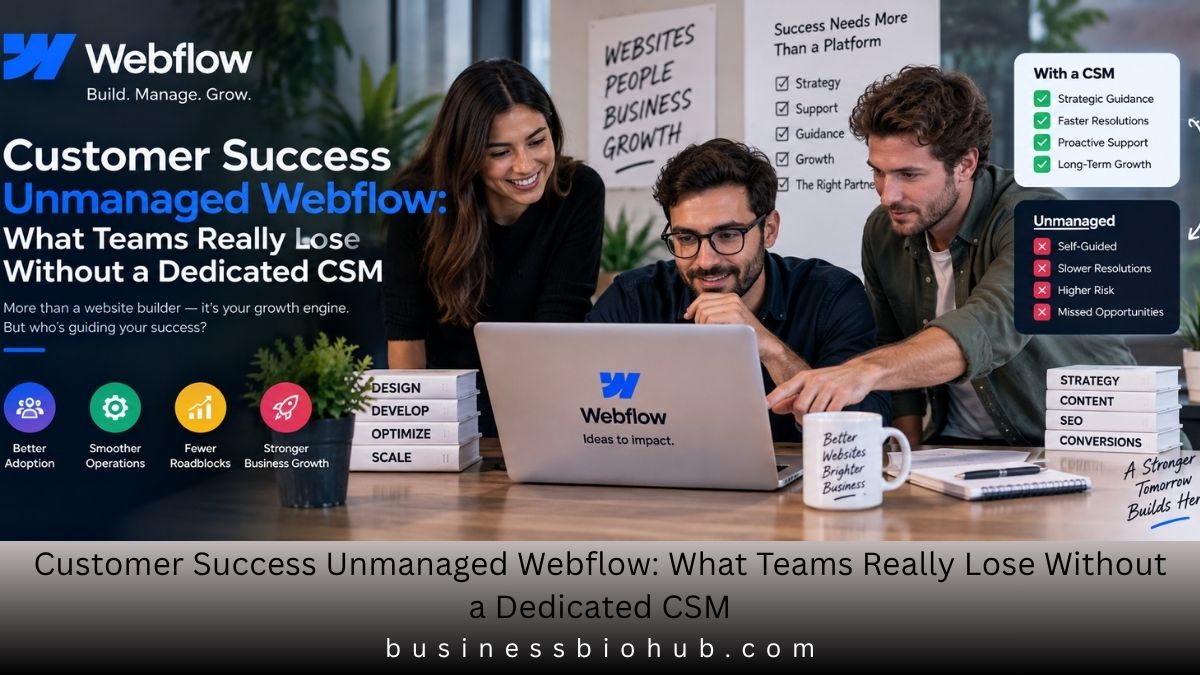
Customer Success Unmanaged Webflow: What Teams Really Lose Without a Dedicated CSM

A Webflow website can move from a marketing tool to a business-critical system surprisingly quickly. Campaigns depend on it. Leads pass through it. Product launches require it. SEO performance, analytics, localization, integrations, and content operations can all converge on the same platform.
That creates a practical question for companies using Webflow without a dedicated customer-success relationship: who takes responsibility when the platform becomes important enough that ordinary ticket support is no longer the whole answer?
The question has become particularly relevant in 2026 as Webflow’s plan structure has expanded. Its current pricing materials distinguish between self-service site and Workspace offerings, the newer Team platform plan, and Enterprise, where dedicated account-management and customer-success resources become explicit parts of the commercial relationship.
BLUF: Customer success unmanaged Webflow means operating Webflow without relying on a dedicated Customer Success Manager to coordinate adoption, strategic guidance, and escalation. The model can work effectively when a company assigns internal ownership, controls publishing, documents incidents, trains users, and maintains a reliable path to specialist help.
“Unmanaged” Does Not Mean Unsupported
The first distinction matters.
Unmanaged Webflow is not an official Webflow plan name. In this article, the term describes an operating model in which a company does not have a named, ongoing Customer Success Manager responsible for its relationship with Webflow.
That is different from having no support.
Webflow provides several support and learning channels across its ecosystem, including its Help Center, Webflow University, product documentation, community resources, and support portal. Enterprise adds a more structured service relationship, including a dedicated Customer Success Manager and access to technical specialists.
Webflow’s Enterprise page currently describes three especially important services:
- 24/7 tailored support
- A dedicated Customer Success Manager
- Solutions Architects for technical implementation guidance
Enterprise customers also receive tailored onboarding and priority assistance designed for organizations where website disruption carries greater operational consequences.
An unmanaged team therefore has a different problem to solve. It does not necessarily need more software. It needs to make sure the responsibilities normally coordinated through customer success have owners somewhere else.
The 2026 Support Divide Is More Nuanced Than “Enterprise vs Everyone Else”
Webflow’s current commercial structure deserves careful reading.
Its September 2026 pricing materials show Team positioned between ordinary self-service offerings and Enterprise. Team includes features intended for growing organizations and currently lists 24/7 priority support, guided onboarding, Webflow University Pro, publishing workflows, and other organizational controls. Enterprise adds features such as a dedicated account manager, granular permissions, advanced governance, enhanced SLAs, and custom configurations.
That creates an important distinction:
| Customer-success capability | Self-service / standard model | Team | Enterprise |
|---|---|---|---|
| Help and learning resources | Yes | Yes | Yes |
| Webflow University | Yes | Enhanced training options | Enterprise-oriented training |
| Priority support | Depends on plan/terms | Listed on current pricing page | Yes |
| Dedicated Customer Success Manager | Generally no | Not listed as standard | Yes |
| Dedicated Solutions Architect | No | Not standard | Available depending on Enterprise agreement |
| Enhanced contractual SLAs | No standard Enterprise SLA | Limited by agreement | Yes |
| Advanced governance | Limited by plan | Foundational governance | Advanced governance |
| Strategic account relationship | Self-managed | Primarily self-managed | Dedicated relationship |
There is one documentation issue buyers should notice. Webflow’s Help Center broadly states that non-Enterprise customers do not receive priority ticket queues or contractual response-time SLAs, while the current pricing page lists 24/7 priority support for the Team plan.
Because those official pages are not perfectly aligned in wording, organizations evaluating Team should rely on the current order form and contractual entitlement, rather than assuming that every general support statement applies identically to the newest commercial package.
That is especially important for companies where response time influences revenue, launches, or regulatory obligations.
Seven Controls That Replace the Missing Customer-Success Layer
A healthy unmanaged Webflow operation requires more than somebody who knows how to use Designer.
1. Give One Person Platform Accountability
One person should be clearly responsible for the Webflow operating model.
That person does not have to build every page. Their job is to know who owns billing, domains, permissions, integrations, publishing, agency access, major incidents, and commercial decisions.
Without an accountable owner, seemingly small questions become organizational problems.
Who approves a new integration?
Who removes a departing employee?
Who contacts support?
Who decides whether an incident requires rollback?
Who knows when the contract renews?
A dedicated CSM can help coordinate some of those conversations on Enterprise. Without one, internal ownership becomes essential.
2. Separate Editing Rights From Publishing Rights
Webflow provides Workspace and site-level roles for controlling what different team members can do. Current roles include Owner, Admin, Site manager, Designer, Marketer, Content editor, Reviewer, and Guest, with permissions varying according to the seat and plan.
This makes permission design one of the strongest safeguards available to an unmanaged team.
A content writer may need CMS access without needing site-wide design authority. A marketer may need to create campaign pages but not control billing. An outside agency may require access to selected sites rather than the organization’s entire Workspace.
Webflow also supports site-specific access on qualifying Workspace plans, allowing administrators to limit people to particular sites.
The principle is simple: access should match responsibility, not convenience.
3. Put a Gate Between “Finished” and “Live”
Webflow makes publishing fast. Operational discipline must make publishing deliberate.
Before an important release reaches production, teams should check:
- desktop and mobile layouts;
- forms and lead routing;
- CMS references;
- metadata and indexing settings;
- analytics or tracking changes;
- redirects;
- accessibility basics;
- custom-code changes;
- staging behavior;
- rollback options.
Webflow allows teams to publish to staging before a production domain, and qualifying plans provide additional control over who can publish.
The objective is not bureaucracy. It is preventing a five-minute publishing shortcut from creating a five-hour incident.
4. Build an Incident Path Before Something Breaks
A website problem can originate from several places:
Webflow platform → domain or DNS → third-party integration → custom code → content mistake → design change → analytics configuration → external service
Those causes require different responses.
An unmanaged team should therefore record, at minimum:
| Incident field | What to capture |
|---|---|
| Time discovered | Exact time and timezone |
| Affected URL | Page, collection, or domain |
| Impact | What users cannot do |
| Last known good state | When the site worked normally |
| Recent changes | Publishing, DNS, code, integration, CMS |
| Evidence | Screenshots, errors, browser/device |
| Internal owner | Person coordinating response |
| Escalation destination | Webflow, domain provider, agency, developer |
| Recovery action | Fix, rollback, restore, or workaround |
A clean incident packet shortens troubleshooting because the support team receives evidence instead of a vague description that “the site is broken.”
A 90-Day Operating Model for Customer Success Unmanaged Webflow
Companies do not need a 50-page governance manual to make unmanaged Webflow sustainable. They need a repeatable system.
Days 1–30: Establish Ownership
Identify the Webflow owner and deputy.
Audit Workspace members, site access, external agencies, billing permissions, API credentials, publishing rights, and critical integrations.
Document the business owner for the website, technical owner, SEO owner, analytics owner, and emergency contact.
Days 31–60: Make Publishing Predictable
Define a change-request process.
Use staging for meaningful releases. Establish a review checklist. Decide which changes require a second reviewer and which low-risk CMS updates can go live immediately.
Webflow’s publishing architecture supports staging and production workflows, while Enterprise provides additional workflow and governance capabilities for larger organizations.
Days 61–90: Measure Where Self-Management Is Failing
Track operational signals rather than asking whether the team “likes” its current plan.
Useful indicators include:
- number of urgent publishes;
- failed releases;
- recurring support requests;
- time spent diagnosing Webflow problems;
- access-control exceptions;
- outside-development hours;
- training requests;
- recurring integration failures;
- time between incident discovery and resolution.
After 90 days, the evidence usually reveals whether the business has a software problem, a staffing problem, a process problem, or a support-model problem.
When the Missing CSM Starts Becoming Expensive
Not every organization needs a dedicated Customer Success Manager.
A five-person marketing team running one stable site can often operate efficiently through documentation, internal expertise, controlled permissions, and occasional specialist assistance.
The economics change when the website becomes operational infrastructure.
Warning signs include a large number of contributors, frequent releases, multiple production sites, complicated integrations, strict security requirements, recurring incidents, international publishing workflows, or revenue directly affected by website availability.
Enterprise also becomes materially different when organizations require capabilities tied to centralized governance. Webflow documents Enterprise functions including custom roles, publishing workflows, page branching, granular access controls, Enterprise collaboration features, and dedicated success resources.
The critical question is not whether your team can build in Webflow without a CSM. It is whether the business can absorb the coordination cost, incident risk, and strategic ownership that a dedicated success relationship would otherwise help manage.
The Governance Question AI-Assisted Webflow Makes Harder to Ignore
Webflow is no longer only a visual website builder.
Its 2026 platform includes AI-assisted workflows and an MCP server that can connect external AI tools to Webflow sites and Workspaces. The MCP functionality can work with layouts, CMS content, components, SEO and AEO tasks, accessibility checks, comments, publishing, and analytics where supported.
That expands what teams can automate—but it also makes permissions and review procedures more consequential.
An unmanaged organization should treat AI-connected tools like any other production-capable actor:
- Grant only necessary site access.
- Separate experimentation from production publishing.
- Review high-impact changes.
- Keep human accountability for releases.
- Document which tools can modify business-critical sites.
Enterprise teams have additional mechanisms such as page branching and Site Activity logging that can help inspect and govern changes. Webflow says its Site Activity log records important events such as publishing, page changes, CMS modifications, custom-code changes, component updates, backups, and AI/MCP-attributed activity.
The larger lesson is broader than AI: the easier publishing becomes, the more valuable governance becomes.
Webflow Support investigates product and account issues. A Customer Success Manager helps align platform use with an organization’s objectives and relationship with Webflow. A Solutions Architect handles deeper implementation questions. An external agency or consultant can supply implementation, design, development, SEO, conversion, integration, or operational expertise.
A strong unmanaged model knows where one responsibility stops and another starts.
The Real Decision Is About Ownership, Not a Job Title
The phrase customer success unmanaged Webflow sounds like a support question, but the deeper issue is operational ownership.
A company can have excellent software and still create fragile website operations if nobody owns permissions, releases, incidents, documentation, and escalation. Conversely, a disciplined internal team can operate a substantial Webflow deployment without depending on a dedicated CSM for every decision.
The threshold changes when failure becomes expensive.
When a site is business-critical, governance requirements become sophisticated, or the organization repeatedly needs strategic and technical escalation, the value of a managed Enterprise relationship becomes easier to quantify. Until then, the strongest unmanaged model is not simply “use Webflow and submit tickets when necessary.”
It is a deliberately constructed customer-success system inside the company itself.
FAQs
What does customer success unmanaged Webflow mean?
Customer success unmanaged Webflow is a self-managed operating model without a dedicated Webflow Customer Success Manager continuously owning the commercial relationship. The organization remains responsible for internal platform ownership, governance, training, release processes, and strategic coordination while using the support resources included with its specific Webflow plan.
Does an unmanaged Webflow account still receive technical support?
An unmanaged Webflow account can still have support resources. The exact entitlement depends on the current plan and agreement. Webflow provides documentation, University resources, community material, and support pathways, while its 2026 Team pricing lists priority support. Enterprise adds dedicated success personnel and enhanced contractual service options.
Does Webflow Enterprise include a Customer Success Manager?
Webflow Enterprise includes dedicated customer-success support as part of its enterprise relationship. Webflow currently advertises a dedicated Customer Success Manager, tailored onboarding, priority support, and access to Solutions Architects for complex implementation needs. Specific services and SLA provisions should still be confirmed in the customer’s agreement.
Can a company successfully run Webflow without a dedicated CSM?
A company can run Webflow without a dedicated CSM when internal ownership is strong. Stable sites, controlled permissions, documented release processes, trained users, clear escalation routes, and access to specialist expertise can make self-management practical. Risk rises when website complexity and organizational dependence grow faster than governance.
When should an unmanaged team consider Enterprise?
An unmanaged team should evaluate Enterprise when business requirements extend beyond ordinary self-management. Relevant triggers can include advanced governance, complex permissions, contractual SLAs, dedicated strategic support, demanding security requirements, large contributor groups, multiple critical sites, or a business impact that makes slow escalation materially expensive.
Can an agency replace Webflow Customer Success?
An agency can cover some operational gaps but does not literally replace Webflow Customer Success. Agencies can manage development, optimization, integrations, releases, training, and technical strategy. Only Webflow controls its internal product escalations, contractual services, platform support infrastructure, and account-specific Enterprise relationship.
Editorial Disclaimer
This article reflects publicly available Webflow documentation and pricing information reviewed in September 2026. Webflow can change plans, feature availability, support entitlements, pricing, SLAs, and Enterprise contract terms. Where official pages use overlapping or potentially inconsistent descriptions, the customer’s signed order form and current Webflow agreement should be treated as the authoritative source.

Telehealth Psychiatric & Mental Health Care: Accessible Support for a Healthier Mind

West Palm Beach Detox: A Safe and Supportive Start to Lasting Recovery

Drug & Alcohol Rehab in West Palm Beach, FL: Start Your Journey to a Healthier Life

Drug & Alcohol Detox in South Carolina: A Complete Guide to Safe Recovery

Drug and Alcohol Detox Kentucky: Your Guide to Safe Recovery at Paducah Detox Center

Addiction Treatment in Plymouth: Understanding Addiction & Mental Health Treatment

Ohio Center for Adolescent Wellness: Your Guide to Teen Mental Health Services in Ohio

Massachusetts Center for Adolescent Wellness: Your Guide to Teen Mental Health & Addiction Treatment in MA

Foundation Diploma Singapore: A Practical Route Towards Higher Education

How to Stay Safe and Private While Using Public Wi-Fi

Paul Smalley Studied at University: The Education Behind His Global Football Career

Diamo Jewels Under the Lens: What Buyers Should Know Before Ordering in 2026

Billie Henry: Inside the Private Life Dawn French Fought to Keep Out of the Spotlight

Tina Esposito Advocate Health Bio: The Data Executive Shaping Analytics, AI and Patient Care

Kögel Trailer GmbH Manufacturing or Wholesale? The Business Model Behind the German Trailer Company

iPhone 17 Pro Max Phone Case: Best Protection Choices That Actually Matter in 2026

Pasonet Explained: Why This Digital Name Is More Complicated Than It First Appears

1upHealth Revenue Cycle Automation Partnerships: What’s Real, What’s Emerging, and Why 2027 Changes the Stakes

Industrial Entrepreneurs Memorandum: The 2026 IEM Rules Every Large Manufacturer Should Understand

EliseAI Head of Partnerships 2024–2026: The Leadership Shift Behind Its Expanding AI Partner Network
Telehealth Psychiatric & Mental Health Care: Accessible Support for a Healthier Mind
West Palm Beach Detox: A Safe and Supportive Start to Lasting Recovery
Drug & Alcohol Rehab in West Palm Beach, FL: Start Your Journey to a Healthier Life
Drug & Alcohol Detox in South Carolina: A Complete Guide to Safe Recovery
Drug and Alcohol Detox Kentucky: Your Guide to Safe Recovery at Paducah Detox Center
Addiction Treatment in Plymouth: Understanding Addiction & Mental Health Treatment
Ohio Center for Adolescent Wellness: Your Guide to Teen Mental Health Services in Ohio
Massachusetts Center for Adolescent Wellness: Your Guide to Teen Mental Health & Addiction Treatment in MA
Foundation Diploma Singapore: A Practical Route Towards Higher Education
How to Stay Safe and Private While Using Public Wi-Fi
-
 Celebrity4 months ago
Michael Scott Ryan: The Private Writer Known for His Connection to Jennifer Ehle
-
 Celebrity4 months ago
Benn George, The Private British Businessman Behind a Powerful Chapter in Tiffany Darwish’s Life
-
 Celebrity5 months ago
Daniel Guerard, The Private French Salon Owner Behind Lorraine Bracco’s Early Life Story
-
 Celebrity6 months ago
Caroline Hickman: The Private Life and Public Attention Around Steve Coogan’s Former Wife